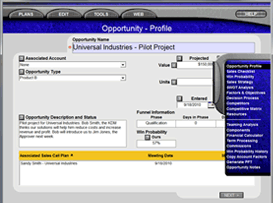
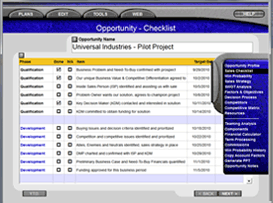
Impact mirrors the Business Value Selling Process. It contains full Territory, Account, Opportunity and Sales Call Planning functionality. The tool is designed to help individual sales people and small companies that do not have access to large corporate training programs or sales development tools, develop plans and strategies that will help them grow their business.
IMPACT DOWNLOAD INSTRUCTIONS:
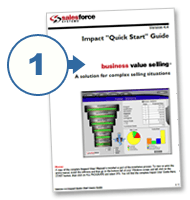
1. Download the Impact "Quick Start" Guide. Read the Installation Instructions on page 4 before you download Impact.
2. Download Free Impact
Complete the Contact Information Form. A message will be sent to your email address that contains a link to download your free copy of Impact.
Click the link to download the software.
Impact Light is downloaded from the internet as a ZIP file. When the download is complete, extract the contents of the ZIP file to a temporary location on your computer, then double-click on setup.exe.
- You must have Administrator permission in order to install Impact Light on your computer.
- Follow the instructions on the setup wizard screens to complete the installation.
- When you are prompted to overwrite newer files, reply No to all.
- You can cancel the speech recognition engine at any time, if desired.
- You must Restart your computer to complete the installation.
To run Impact Light Double click the new Funnel icon located on your Windows desktop. In addition, Impact and the complete Users' Guide can be found on the Start menu under Programs > SFSI > Impact.
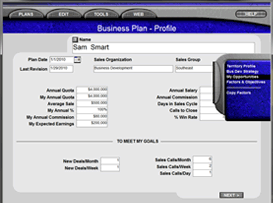
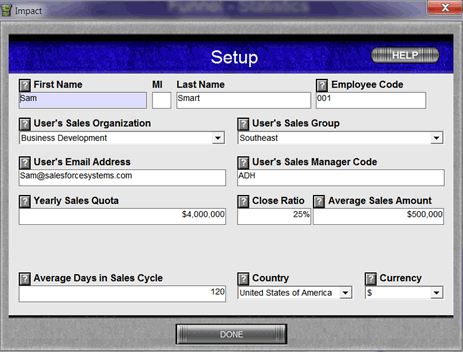
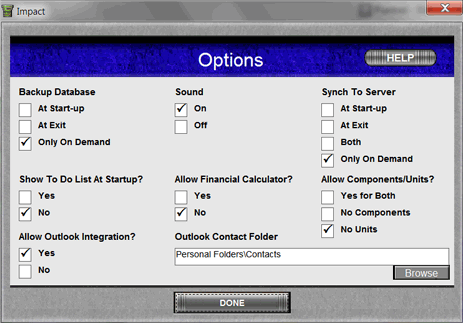
1. Create your Profile (Setup and Options screens)
SETUP and OPTIONS are used to manage the metrics that describe the way you sell now and want to sell in the future. Click the question mark icon, or the Help button if you are unsure about what should be entered in any section.
You cannot proceed to other parts of Impact Light until you have completed the setup screen.
2. HELP! - How to get instant Help (Click HELP, or the Genie ? mark)
|